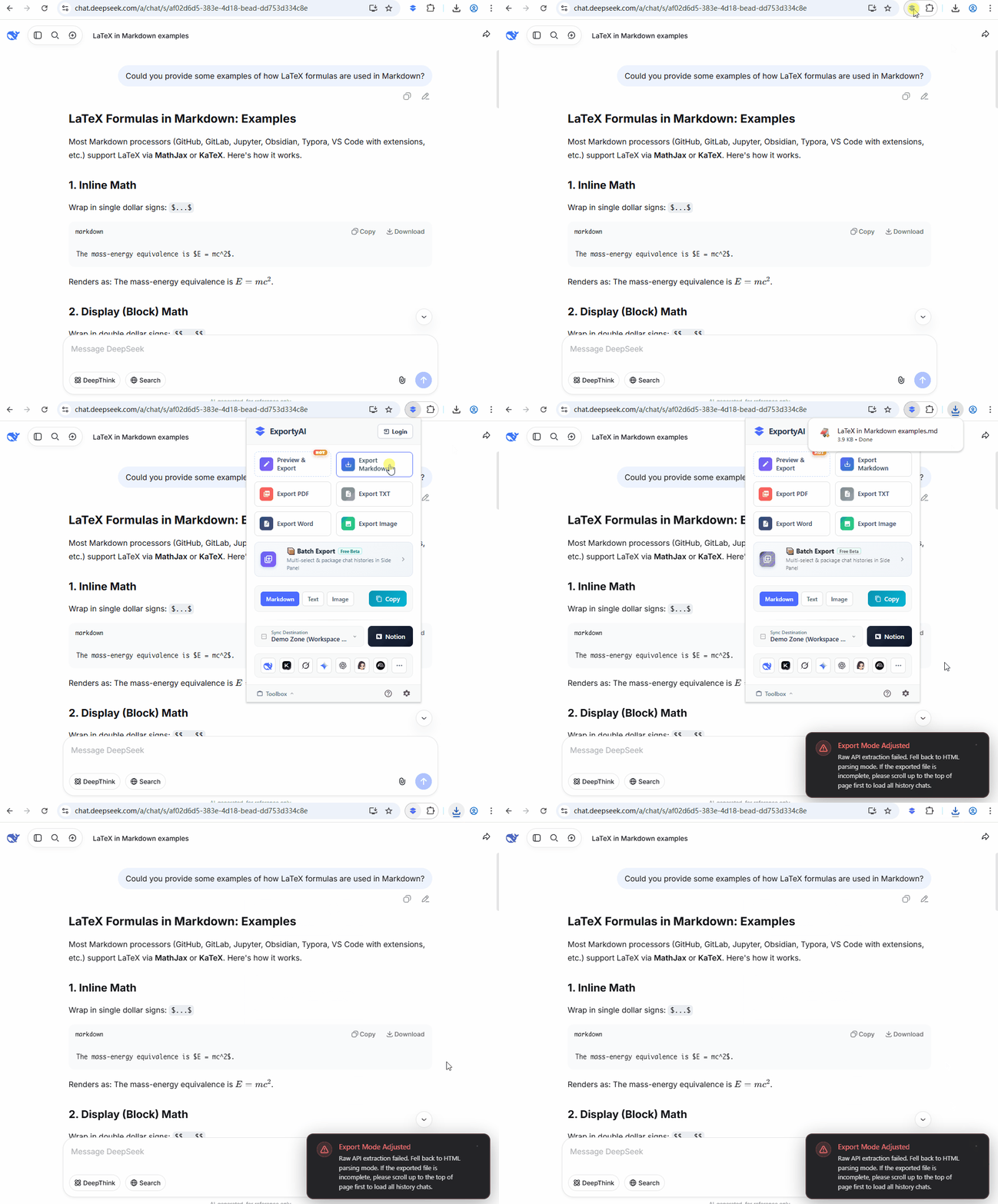
When exporting a conversation, ExportyAI reads the complete data of the entire conversation directly from the platform by default—like "asking the platform for the original record"—regardless of what is displayed on the page. When that method fails, the extension automatically falls back to webpage-recognition mode and shows a dark toast at the bottom-right of the page.
Two export methods
Reads the complete record of the entire conversation directly from the platform's data interface: long conversations, early history, and collapsed content are all captured completely, and it's faster too—the preferred method for everyday exports.
Like "copying from the screen", it recognizes and converts the content already displayed on the page, item by item. Conversations not shown on the page (such as history not yet loaded by scrolling) cannot be recognized.
When does the fallback trigger
When direct read fails due to platform API changes, network issues, expired login sessions, and similar reasons, the extension automatically switches to webpage-recognition mode and shows a toast at the bottom-right of the page: "Export mode adjusted: data API extraction was unsuccessful, so webpage parsing mode is now in use. If the exported chat history is incomplete, please scroll up the page first to load the full history."
The fallback is handled automatically within a single export and doesn't affect the next one; when direct read becomes available again, it returns to the default method automatically—no manual intervention needed.
What if the export is incomplete
To save performance, most platforms use scroll-based loading: only conversations near where you've scrolled are displayed on the page. If a long conversation was never scrolled from the top, the page only holds its latter half—so webpage-recognition mode can only recognize that part.
So when you see the fallback toast, we recommend scrolling the conversation all the way to the top, waiting for the history to finish loading, and exporting again to get the complete content. If the fallback toast appears frequently on the same platform, it's usually caused by a platform API update—please report it through the support center and we'll adapt as soon as possible.
The figure below demonstrates the automatic fallback with a toast when direct read fails: