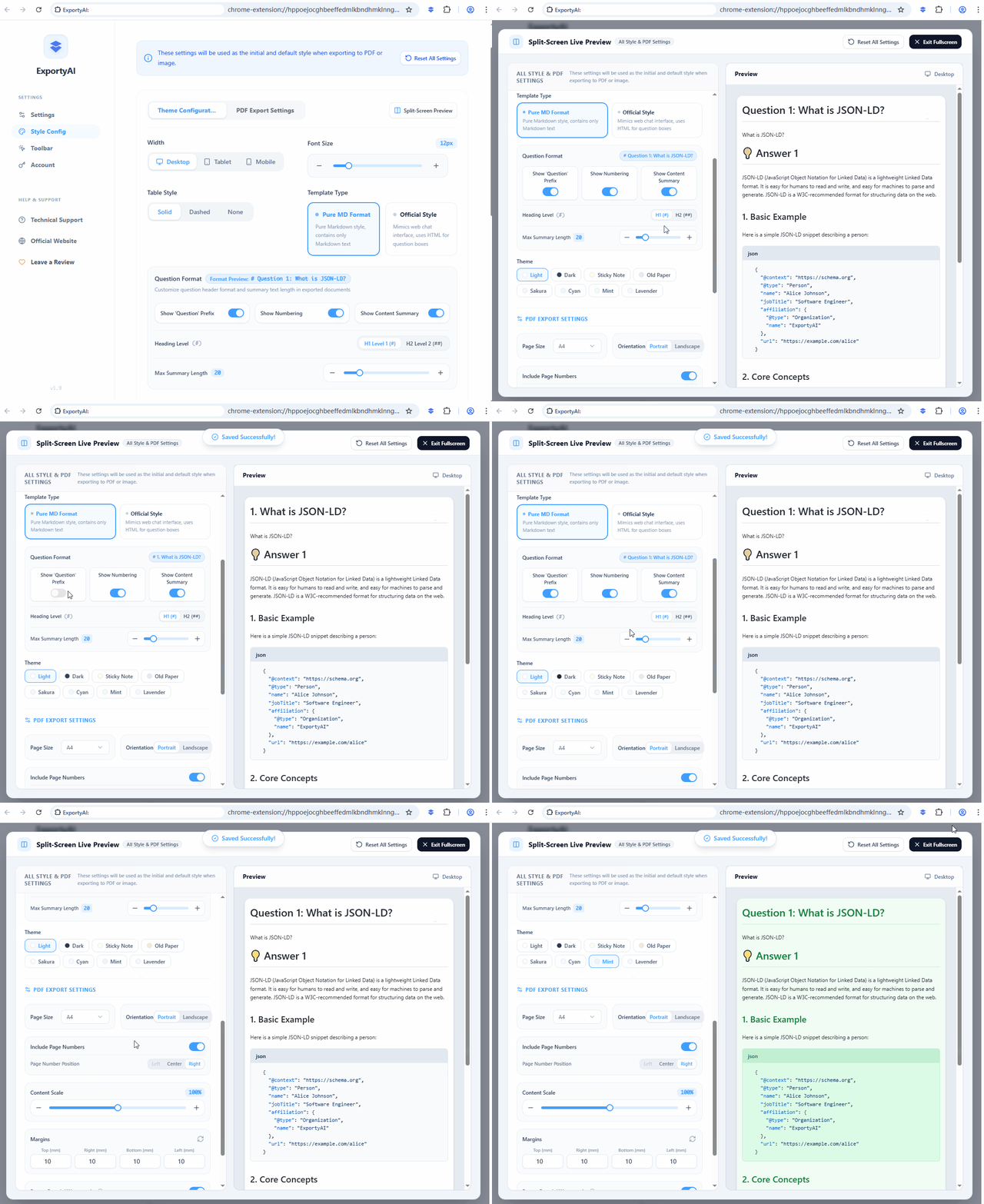
Click the ExportyAI icon in the toolbar to enter the Options page → [Style Settings], where you can preset export styles: 8 themes, font size, table styles, PDF page parameters, and footer watermarks—configure once, apply everywhere. Style settings only affect PDF and image (long-image) exports; Markdown / Word / TXT are pure content formats and are not affected.
1. Theme configuration
The theme determines the overall look of the exported document. Choose freely among 8 beautiful themes:
You can also set the export width (Desktop / Tablet / Phone), font size (Small / Medium / Large), and table style (Solid / Dashed / Borderless). The configuration area has built-in preview thumbnails, and every adjustment renders in real time—what you see is what you get.
2. PDF export settings
Professional layout parameters for PDF output, all customizable:
- Page size and orientation: paper-size adaptation with portrait / landscape layout.
- Margins: top, right, bottom, and left margins set independently (to the millimeter).
- Content scaling: freely adjust how the body content scales on the page.
- Page numbers: toggle on/off and choose the position (left / center / right).
- Footer brand / watermark: custom text (such as ExportyAI) and a link, shown at the bottom of every page—great for personal branding and copyright notices.
3. Question format
Customize how question headings appear in exported documents: toggle the "Question" prefix, the numbering, and the content summary independently; the summary supports a maximum character limit; heading level can be H1 / H2. With everything off, the exported document keeps only the answers—ideal for a pure answer collection.